
The Registration Wizard allows your clients to register on your RBS Server and add an account automatically. The Registration Wizard is embedded in your Client installer when you build it.
It presents a series of screens to your end users, asking them for their name and other registration information. It can prompt them for a password and user name and encryption key, or you can program the Registration Wizard to generate these automatically.
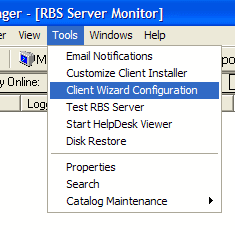
The Registration Wizard is configured using the Client Wizard Configuration utility on the RBS Manager's Tools Menu.
You can display this help file any time by pressing the Help button anywhere in the Client Wizard Configuration program.