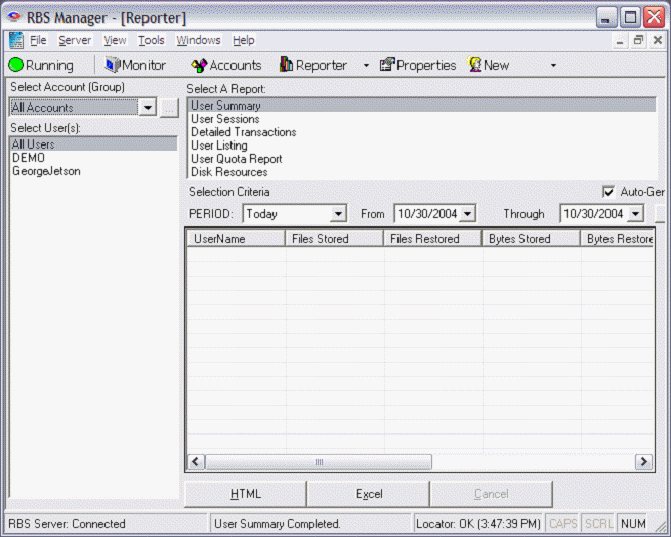
This is the RBS Manager's Report screen. Reports are formatted for printing using HTML. You can view reports, print them, and you can export report data to Microsoft Excel.
The Disk Resources report is probably the most valuable for billing because it shows the amount of storage space used by each client. The columns are as follows:
BACKUP DATE - The date the backup occurred.
OVERALL STORAGE - The overall Storage space used by the client backup files (Local Storage + Server Storage + Cloud storage)
SERVER STORAGE - The actual storage space used by the client on the RBS Server by compressed backup files
LOCAL STORAGE - The storage space used by the client on the client's Local Mirror location
CLOUD STORAGE - The storage space used by the client on the Cloud storage location
NATIVE SIZE - The original native size of the files backed up from the client. (This is the size typically used for billing.)
BACKUP FILES - The number of files backed up in a particular backup session.
RESTORE FILES - The number of files restored
RESTORE BYTES - The total file size restored in bytes
CONN TIME - The connection time in seconds